
Single-site nurseries

One system for the whole setting, not five that half agree

Small teams carry the same regulatory weight as large groups with far less admin capacity. Nurtalo is designed so recording takes seconds in the room and still produces evidence you can rely on months later.

The problems this is aimed at

  • The same fact in four places. A sleep written on a whiteboard, copied to a daily sheet, retyped into an app and mentioned again at handover.
  • Evidence assembled in a panic. Policies, consents, checks and supervisions reconstructed the week before an inspection instead of accumulating as you go.
  • Nobody sure what a family was told. Updates spread across messages, paper and memory, with no record of the audience or the time.

A day in the setting

Built around how the day actually runs

  1. 1

    Open the setting

    Expected children, staffing for the shift, absence notices from families and anything flagged overnight are on the home screen before the first arrival.

  2. 2

    Run the session

    Register children in and out, move them between rooms, record care and observations, and handle medication or accidents as proper safety records.

  3. 3

    Keep families informed

    Share the day deliberately: daily summaries, learning moments, messages and newsfeed posts, each with a clear audience and a truthful sent state.

  4. 4

    Stay on top of admissions

    Enquiries, offers and onboarding tasks stay in one pipeline, so a child arriving next month already has the information you need.

  5. 5

    Show your evidence

    Compliance checks, policies, consents, supervisions and operational logs build up as history you can produce on request.

  6. 6

    Close the day

    Outstanding work is visible rather than remembered, and the register, care records and finance all reflect the same day.

A single setting

Built for the nursery that has no head office to fall back on

In a single setting the manager is also the safeguarding lead, the admissions team and the person who answers the phone at nine in the morning. The software has to fit into that, not add to it.

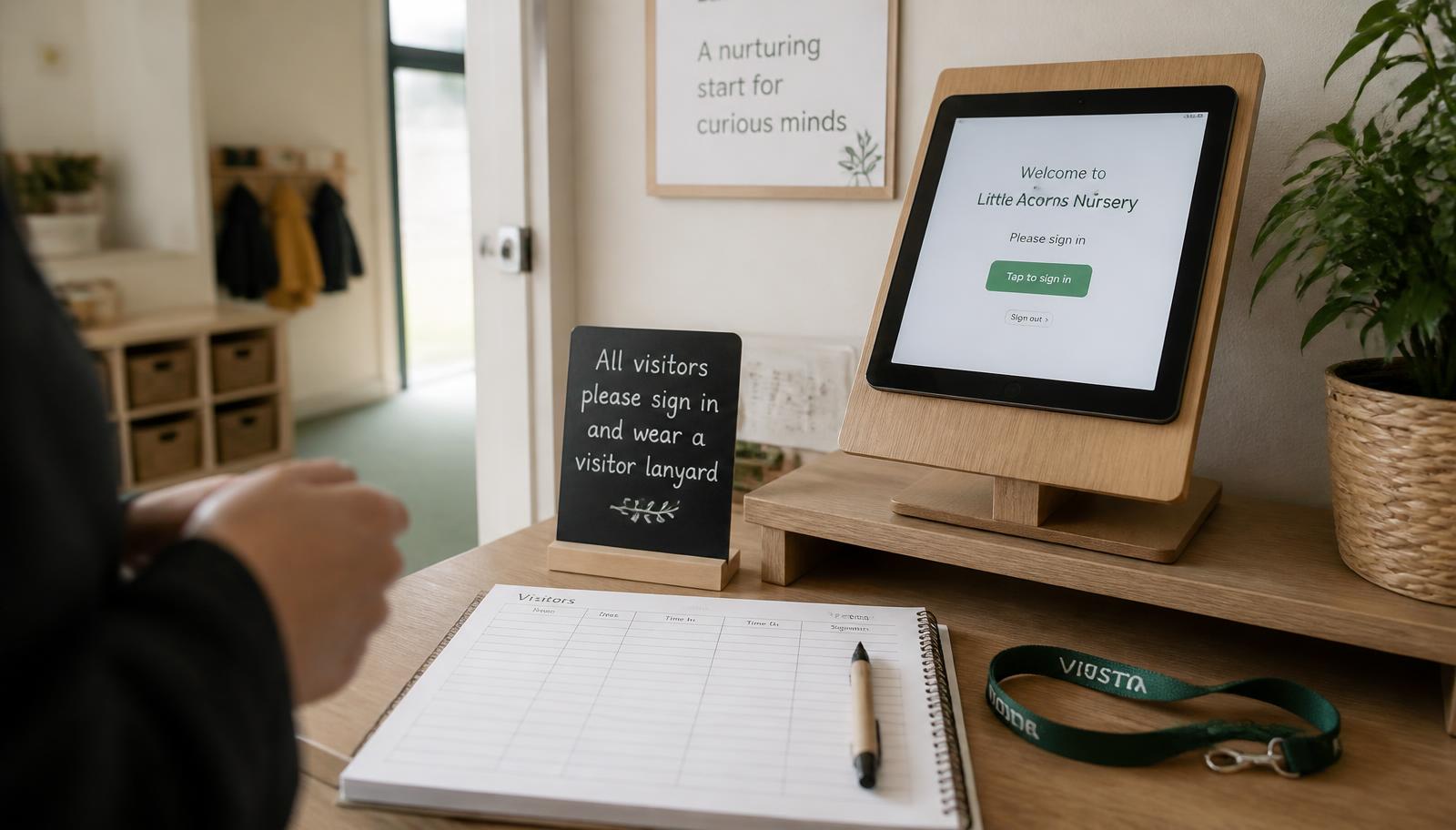
A nursery entrance with a sign-in tablet on a low unit, coats on pegs and a door to the main room beyond.
The entrance is where the day is actually recorded. Everything else in Nurtalo follows from what happens here.

One record

Entered once at the door, useful all day

A single setting cannot afford to type the same thing three times. An arrival recorded at the entrance updates the room register, the headcount, the staffing picture and the family's day in the same movement, and the finance side reads the same attendance rather than a separate copy of it.

  • Arrivals and departures recorded where they happen, by the adult who saw them
  • Care events, observations and accidents attached to the child, not to a spreadsheet tab
  • Invoices read recorded attendance and funded hours from the same source
  • Corrections stay visible as corrections, with an author and a time

What changes

Less duplicated admin, more defensible records

Recorded once

A care event, an observation or an accident is entered where it happens and flows to families, reports and evidence without retyping.

  • Structured events rather than free-text everywhere
  • Corrections kept as corrections
  • Daily summaries assembled from real entries

Ratios you can trust

Headcount and staffing are derived from what has actually been recorded, and Nurtalo says so plainly when the picture is incomplete.

  • Room-level presence from real sign-in events
  • Gaps described as gaps
  • No comforting default when the data is missing

Ready for inspection

Policies, consents, checks, supervisions and safeguarding records carry authors, timestamps and history rather than being reconstructed later.

  • Acknowledgement coverage per policy version
  • Check runs with results and evidence
  • An audit trail that is written, not assembled

Detail

The parts a single setting leans on most

The room

  • Fast sign-in and sign-out on a tablet or phone
  • Nappies, sleeps and meals in a few taps
  • Observations with photos attached to the right children
  • Room moves recorded so the headcount stays honest

The office

  • Admissions from first enquiry through to start date
  • Fee plans, funding entitlements and invoices
  • Rota, leave and supervision records for the team
  • Reports built from the same operational record

Families

  • Daily care and learning shared when you choose to share it
  • Absence, bookings, consents and forms handled from a phone
  • Documents and invoices in the same place as messages
  • A clear audience on everything the setting sends

The manager's week

  • Needs-attention work ahead of general activity
  • Compliance checks scheduled rather than remembered
  • Supervisions with shared outcomes and private notes kept apart
  • Occupancy and finance visible without a spreadsheet

Trust

Serious about the records you are responsible for

Safety capabilities are never a paid extra

  • Attendance, headcount and ratio awareness
  • Accidents, incidents, medication and safeguarding
  • Emergency information, permissions and consents
  • Immutable audit history and a full data export

Access is decided on the server

  • Every record belongs to an organisation and a setting
  • Membership records are the source of truth, not a browser claim
  • Row-level security applies to reads and writes alike
  • Cross-setting access is refused by the database, not hidden by the interface

State is stated plainly

  • Draft, queued offline, submitted, approved, shared and signed are different
  • Nothing reads as done while it is only saved on the device
  • Unknown is never rendered as a reassuring green
  • Receipts say what happened, who did it, when, and who can see it

Questions

From single-site managers and owners

We are a small team. How much setup does this need?
The organisation, setting, rooms and roles are configured before anyone is invited, and we do that with you rather than handing over an empty system. We will be honest in the proposal about how much of your existing information has to be re-entered.
What if the internet drops mid-session?
Nurtalo distinguishes queued-on-device from submitted, and it will not show a queued entry as done. Where a page cannot be served it shows an offline page rather than yesterday's records presented as today's.
Can practitioners see everything?
No. Access follows role and setting scope, and safeguarding casework is restricted to named responders rather than being visible to the whole team.
Do families need a separate app?
Families use the Nurtalo family portal in a browser today, and it can be installed to a phone home screen. A native family app is planned and not yet released.

Try your real nursery workflows for 30 days

Set up your nursery and explore late collections, medication rounds, room moves and family communication in your own workspace. No card details are needed to start.